Batch Face Swap
Process multiple photos at once with AI batch face swap. Upload a folder and swap faces in bulk — save hours of manual work.
What Is Batch Face Swap?
Batch face swap is an AI-automated workflow that applies the same face replacement to a large collection of photos in one operation. Instead of uploading, processing, and downloading images one at a time — which becomes impractical at scale — batch face swap lets you queue dozens of images simultaneously and process them all with a single source face assignment.
The core advantage of batch processing is efficiency and consistency. When you process images one-by-one, you introduce variability: different upload sessions, potentially different settings, and the time cost of managing each file individually. Batch face swap eliminates this by running every image through the same AI pipeline in a single session, with the same source face encoding applied to each, so the replacement face looks identical across your entire photo set.
Batch face swap is used extensively in content production workflows. E-commerce teams use it to generate product shots with model faces swapped across dozens of catalog images. Event photographers use it to apply consistent face replacements across hundreds of event photos. Marketing agencies use it to create personalized campaign assets at scale — generating individualized images for every customer or employee from a master template.
EZFaceSwap's batch face swap tool handles all of this for free. Upload your entire photo set, define a single source face, start the batch, and download all results as a zip file. No subscription, no watermark, no technical expertise required. The AI handles detection, alignment, and blending independently for each image in the queue.
How Batch Face Swap Works
Upload once, process many. The AI handles every image automatically with consistent results.
Upload Your Photo Set
Select and upload all photos you want to process — up to 50 images per batch. Drag and drop a folder or select multiple files. Mix JPG, PNG, and WEBP formats freely.
Upload Source Face
Provide one source face photo — this is the face the AI will swap into every image in the batch. A clear, front-facing, well-lit photo produces the most consistent results across all batch outputs.
Configure & Start Batch
Confirm your settings and start the batch. EZFaceSwap queues all images and processes them automatically — detecting faces, applying the swap, and matching lighting in each photo independently.
Download All Results
When processing is complete, download all face-swapped images as a single zip file. Every output image is full resolution with no watermark. Failed detections are flagged in a summary report.
Batch Processing Results
Consistent face swap quality across an entire photo collection — processed automatically.

Batch result #1 — portrait set
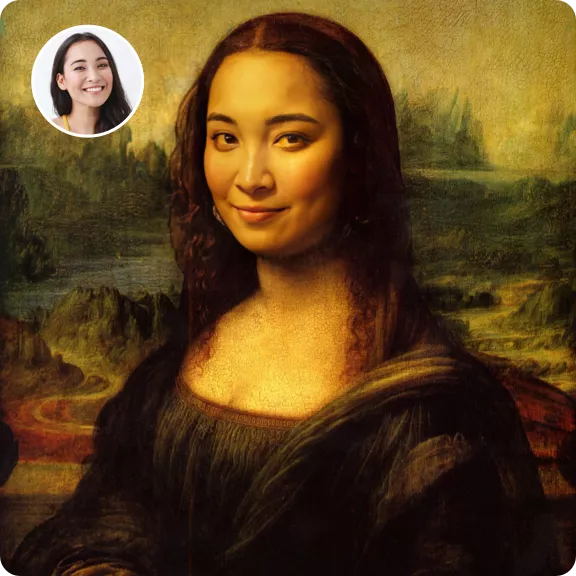
Batch result #2 — same source face
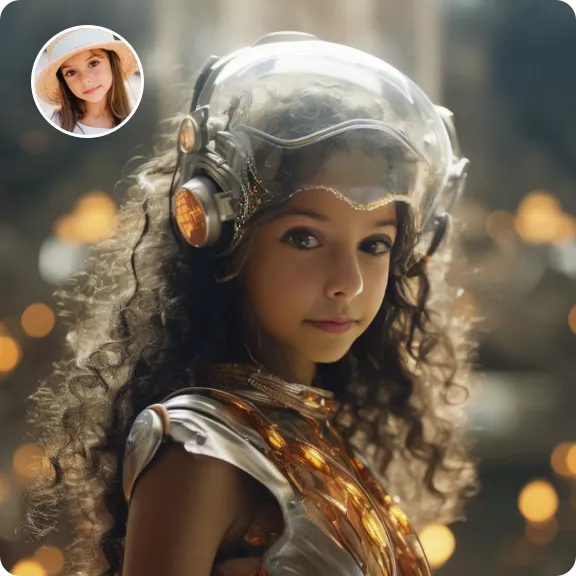
Batch result #3 — consistent quality
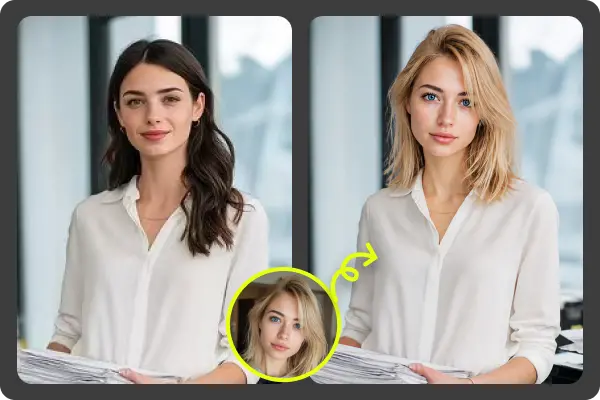
Batch result #4 — auto lighting match
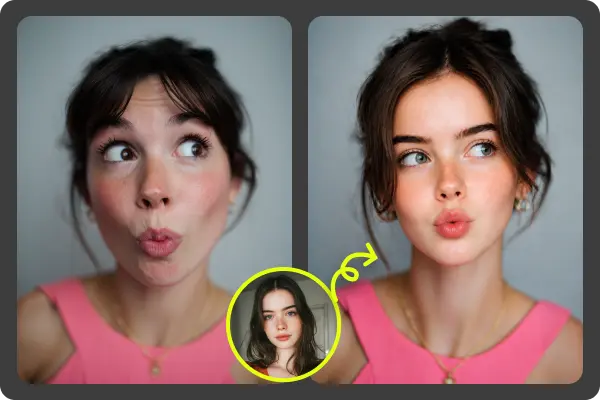
Batch result #5 — high resolution
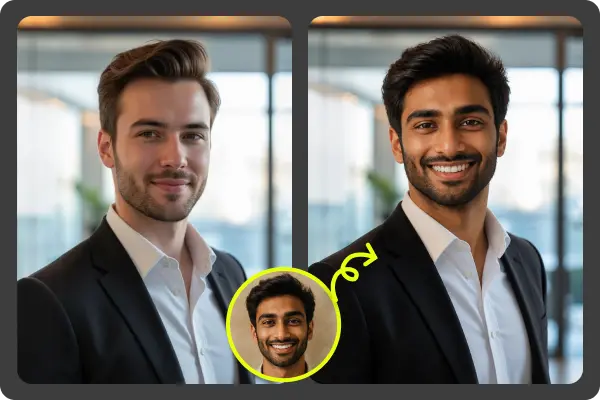
Batch result #6 — no watermark
Key Features of Batch Face Swap
Built for volume — consistent, automated face replacement at scale.
Up to 50 Photos Per Batch
Queue up to 50 images per batch processing run. Mix resolutions and formats freely — the AI handles each image independently at its native resolution.
Single Source Face, Many Photos
Define one source face and apply it consistently across your entire photo set. Perfect for creating uniform face replacements across product catalogs, headshot collections, or event albums.
Parallel Processing
Images are processed in parallel where server capacity allows, dramatically reducing total batch time compared to sequential one-by-one processing.
Per-Image Lighting Match
Even though the source face is fixed, lighting and color matching are recalculated for every individual photo in the batch, ensuring each output looks natural in its own context.
Zip Download of All Results
When the batch completes, download all successfully processed images in a single zip file. Images retain their original filenames for easy organization.
Error Reporting
If the AI cannot detect a face in a specific image, it's flagged in a completion report rather than silently skipped. You know exactly which images processed successfully.
Who Uses Batch Face Swap?
E-Commerce & Product Photography
Swap model faces across entire product catalogs to maintain brand consistency, generate localized versions of product shots for different markets, or quickly update catalog images with a new model face.
Event Photography
Photographers processing hundreds of event photos use batch face swap to apply face corrections or creative effects across the entire shoot, reducing hours of individual edits to a single batch run.
Marketing Campaign Production
Create personalized marketing assets at scale — generate individualized campaign images for employees, customers, or contest winners from a single template image using their photo as the source face.
Content Creator Workflows
YouTubers and social media creators building large content archives use batch face swap to efficiently process collections of thumbnail images or promotional photos with consistent creative effects.
Batch Face Swap vs. One-by-One Processing
| Batch Face Swap | One-by-One | |
|---|---|---|
| Processing 50 photos | Single session, ~10 min | 50 separate uploads, 50+ min |
| Source face consistency | Identical encoding for all | Risk of variation between sessions |
| Workflow effort | Upload once, done | Repeat for every image |
| Download format | Single zip file | 50 individual downloads |
| Error handling | Summary report for failures | Manual discovery per image |
| Cost | Free | Free |
Batch Face Swap — Frequently Asked Questions
What is batch face swap?
Is batch face swap free on EZFaceSwap?
How many photos can I process in one batch?
Do all photos in the batch need to have the same person?
Will the face swap look consistent across all batch photos?
What photo formats work with batch face swap?
Can batch face swap handle photos with varying resolutions?
How long does batch face swap take?
Process Your Photo Collection — Free
Upload up to 50 photos and swap faces across the entire set in one batch. No watermark, no sign-up.
Want sharper, more accurate face swaps? Sign in for better results →